NATIVE ANDROID / IN DEVELOPMENT
Your card desk.
Now pocket-sized.
IDCardCo is an ID card and badge maker app in development for Android. Create photo ID cards for a team, keep people records for updates, and prepare printable exports. Here’s a look at the working preview.
THE DETAILS, WITHOUT LOSING THE BIG PICTURE
See the card
while you type.
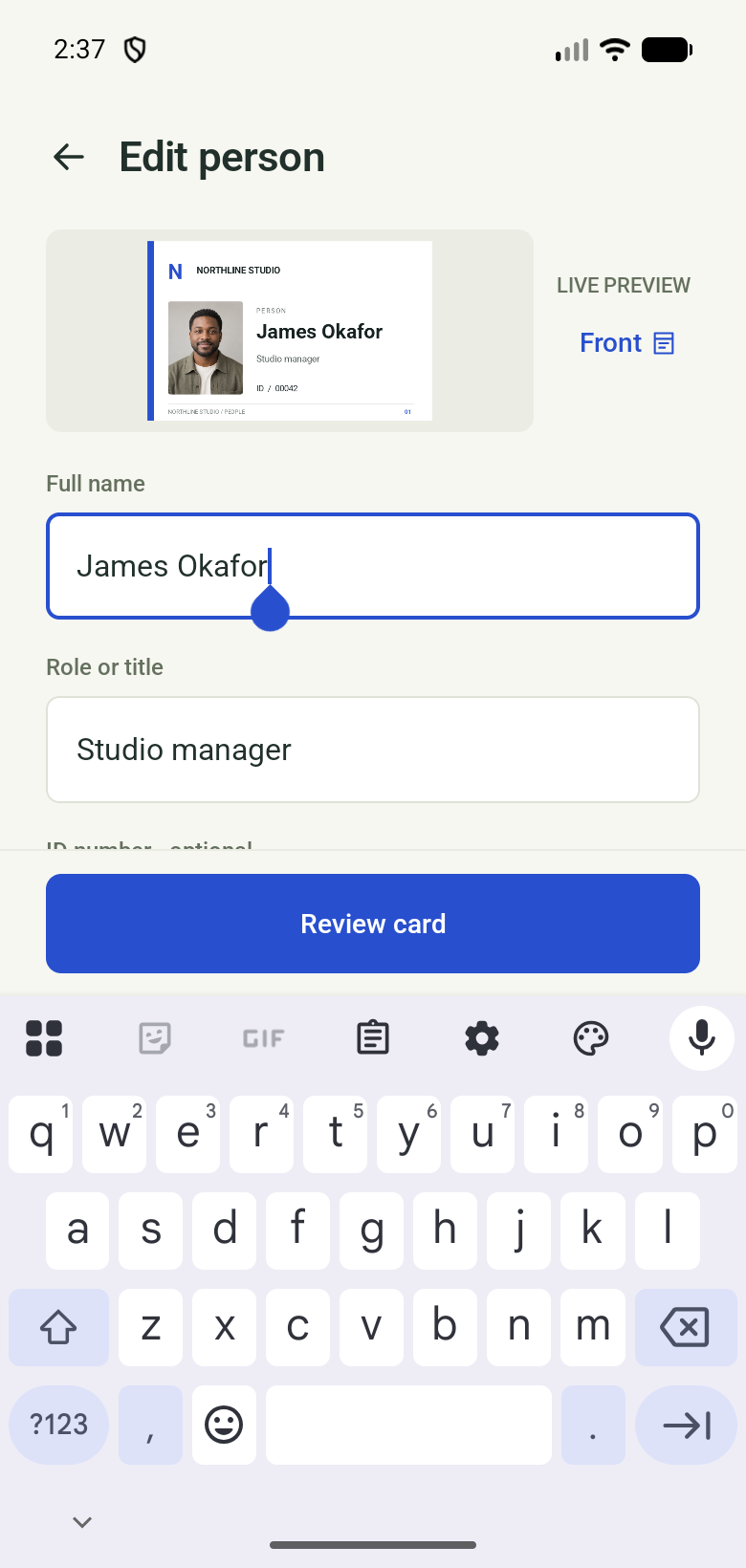
The live preview stays above the form while you enter a name, role and other details. Optional fields and layout controls give you more room when your team needs it.
- Keep people records for the next reprint.
- Add custom fields and adjust text or photo placement.
- Prepare single-card PNGs and PDFs, or A4 and Letter sheets.
- Keep committed card records locally on your device.
A REPEATABLE WORKFLOW
One card today.
A consistent team tomorrow.
Choose a design
Pick a bundled layout. Preview it before applying it to a team.
Add your people
Enter details one at a time, or prepare a CSV roster for the import workflow.
Review & export
Check the details and output settings. Save a file, then test it on your printer.
A few useful answers.
Does the Android preview require an account?
The local card-creation workflow does not require an IDCardCo account. External file providers and later store billing may use their own accounts.
Does it work on iPhone?
A native iOS version is planned later. There is no iPhone or iPad app available at present.
What is free, and what will be paid?
The current Android preview has a Free tier with basic templates and up to three retained people. Studio features include expanded designs and import workflows. Production purchase and restore are not configured; public pricing will be confirmed with release. The SVG downloads on this website are separately free.
Can I import Excel files directly?
The implemented importer accepts CSV, not XLSX. Save the relevant worksheet as UTF-8 CSV, then check the columns and leading-zero IDs before mapping.
Will my cards sync automatically?
The current app stores card data locally. It offers manual backup and restore, not automatic cloud sync. Keep a backup before uninstalling or changing phones.