EMPLOYEE ID & STAFF BADGE TEMPLATES
Three ways to introduce your team.
These employee ID badge templates also work as staff ID cards. Start with a clear name, a role and a stable employee number, then choose a layout that fits your organisation.
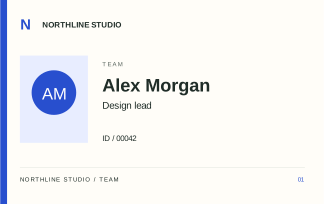
FREE EDITABLE SVG · LANDSCAPE
Studio
A generous name line and a quiet role label. Useful for small creative teams.
- Card size
- 85.60 × 53.98 mm
- Fields
- Organisation, Name, Role, Employee number
- Format
- Single front · SVG · editable text
FREE EDITABLE SVG · LANDSCAPE
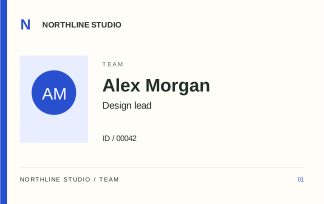
Ledger
An understated two-column layout with a separate number block for quick reference.
- Card size
- 85.60 × 53.98 mm
- Fields
- Organisation, Name, Department, Employee number
- Format
- Single front · SVG · editable text
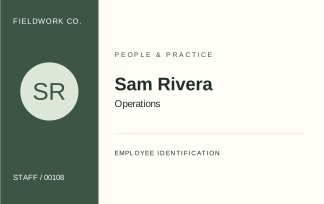
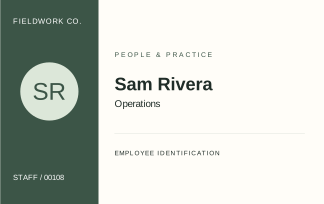
FREE EDITABLE SVG · LANDSCAPE
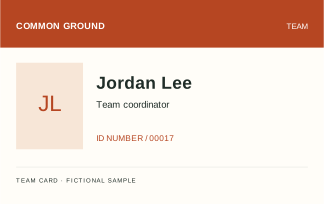
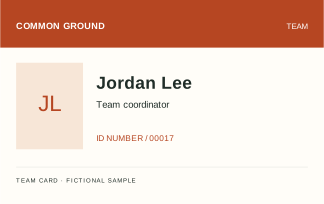
Signal
A strong colour band makes the organisation easy to spot at a glance.
- Card size
- 85.60 × 53.98 mm
- Fields
- Organisation, Name, Role, Employee number
- Format
- Single front · SVG · editable text
Make this template yours.
- Open the SVG in a vector editor that supports text editing. Check that its fonts display correctly.
- Replace the fictional organisation, name and number. The monogram can stay, or you can replace it with a photo you have permission to use.
- Keep important text away from the trim edge. If your printer needs bleed, extend the background to the supplier’s specified bleed size.
- Export a PDF at the document’s original dimensions. Print one test and measure it before printing the full batch.
Our size guide explains pixels, trim and bleed. The print guide includes separate native-app sample sheets for calibration.